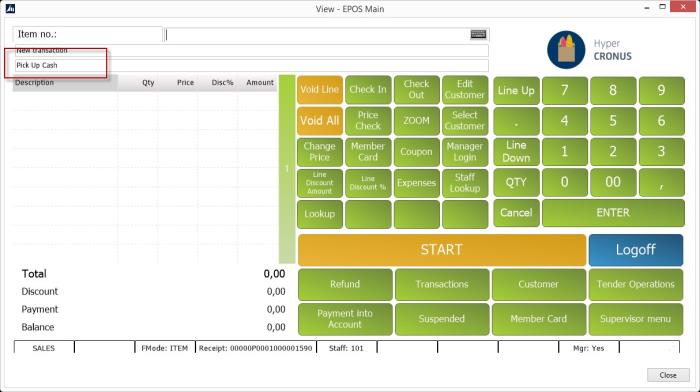
An amount can be set as a Pickup Warning to notify the cashier when the amount in drawer is over a predefined limit and should be transferred to a bank or a safe. The function is set in the Functionality Profile card, and the amount is set in a store Tender Type card.
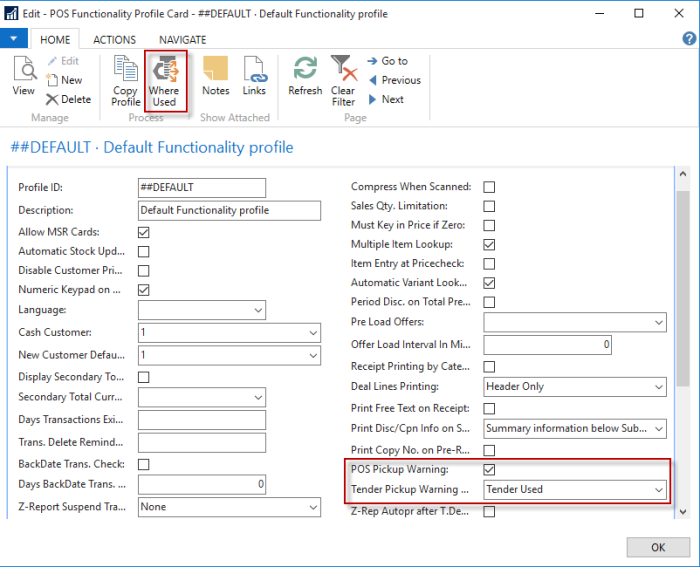
- Open the Functionality Profile card. You can use the Where Used action to open a list of the stores that use this profile to make sure that you are editing the right profile.
-
Select the POS Pickup Warning check box on the Functionality Profile card, and select Tender Used in the Tender Pickup Warning Type field.
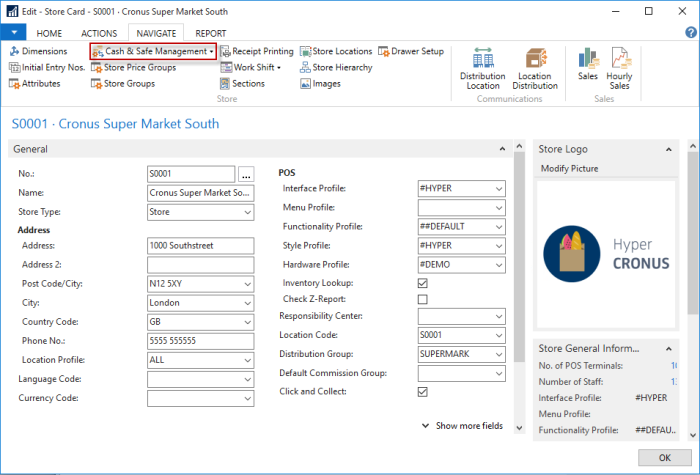
- Open the Store card, and select Navigate in the action menu.
-
Press Cash & Safe Management, and select Tender Types from the drop-down list.
-
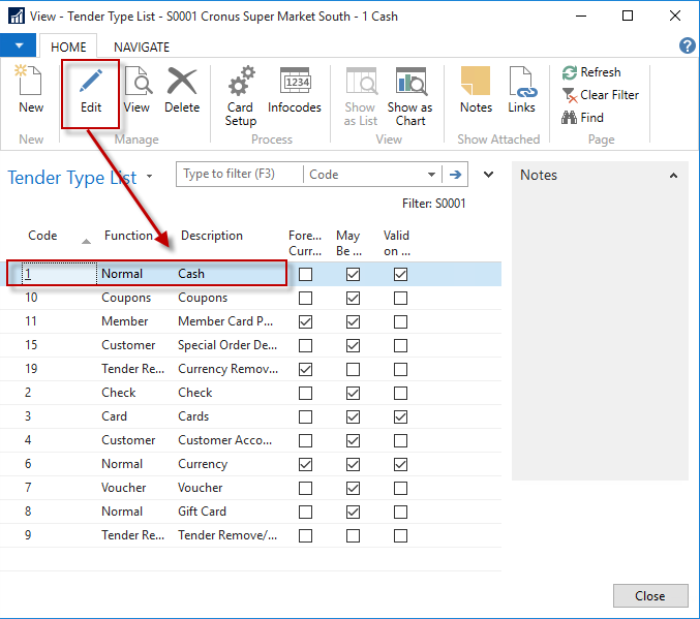
Select Cash, and press Edit.
-
Set the Pickup Warning Amount.
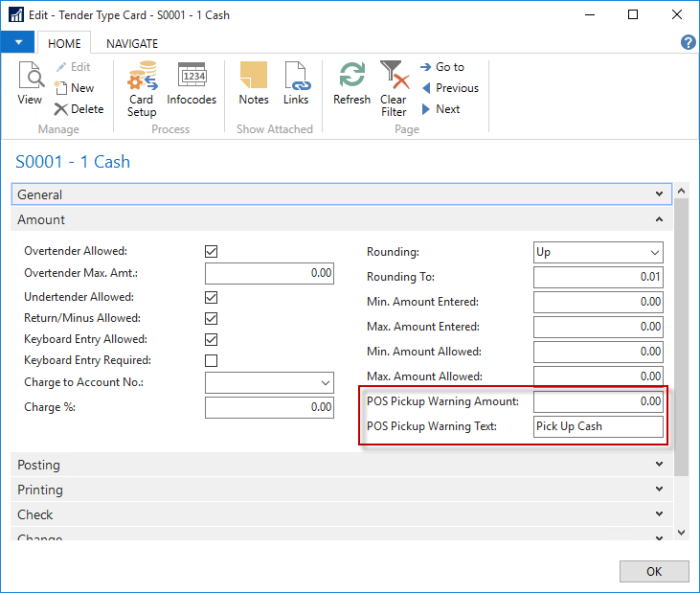
The warning appears on the POS when the amount in the drawer is over the Pickup Warning Amount set in the Tender Type card.
Note: The warning is not a pop-up warning.